eBay Tweaks Ads Dashboard To Add Videos, Exclusion Option For Rule-Based Campaigns

eBay appears to be making changes to the Promoted Listings Ad dashboard, adding new metrics for Priority ads with videos and finally allowing sellers to opt individual items out of rule-based General campaigns.
Videos ads for Priority cost per click initially began beta testing in March and are now rolling out to more sellers, along with some new metrics and reports to track performance.
 Liz Morton
Sellers can now sort their dashboard displays to show just ads with static images, ads with video or both.
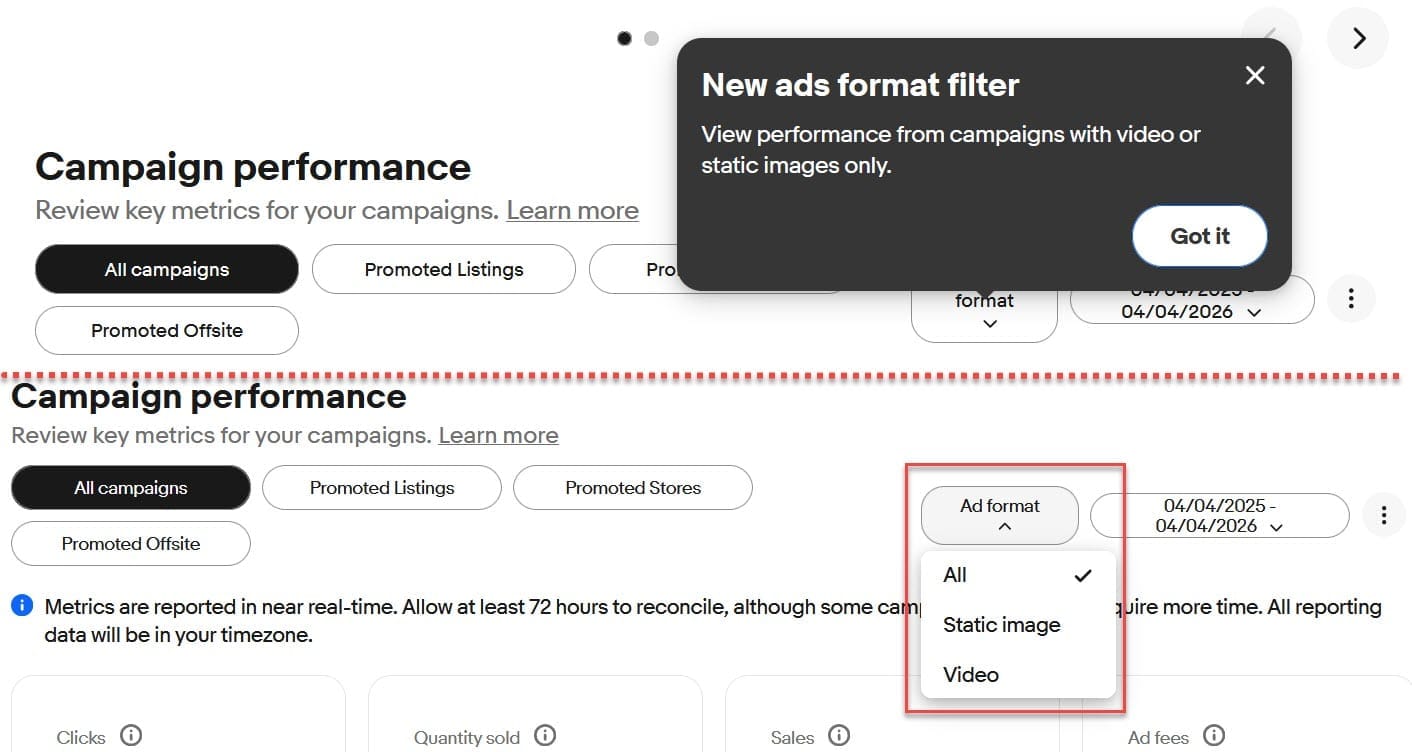
And eBay has also added new guides to walk sellers through how to add videos to their Priority campaigns.
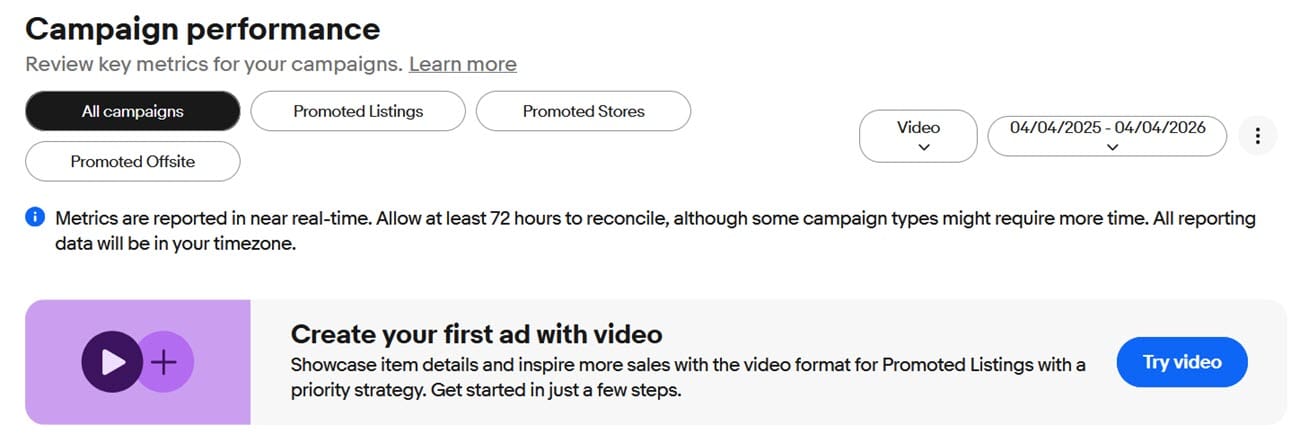
Recent job postings have indicated eBay is looking to spruce of their analytics offerings for sellers who use ads, though so far it does not appear they've tackled the number one seller request - better reporting for General campaigns now that changes to the attribution policy of rendered Return On Ad Spend (ROAS) practically useless.
Liz Morton
However, sellers are finally getting a very long awaited upgrade to rule-based General campaigns with the introduction of an Exclusion feature allowing them to select certain items to opt out of the campaign, even if they meet all the other "rule" criteria - a change I've been advocating for since 2021.
Here's how Exclusions for General rule-based campaigns work:
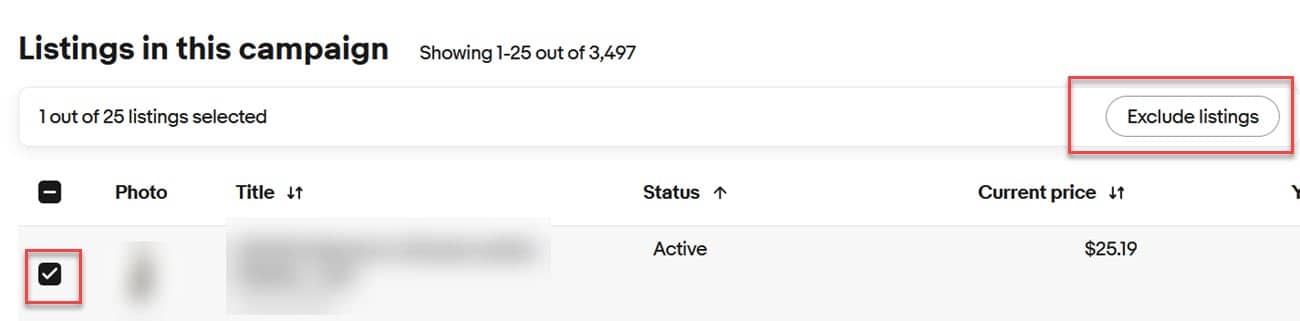
When viewing an existing campaign in the dashboard, you can scroll down to see individual items, check the box next to the ones you want to exclude, and then click "Exclude listings."
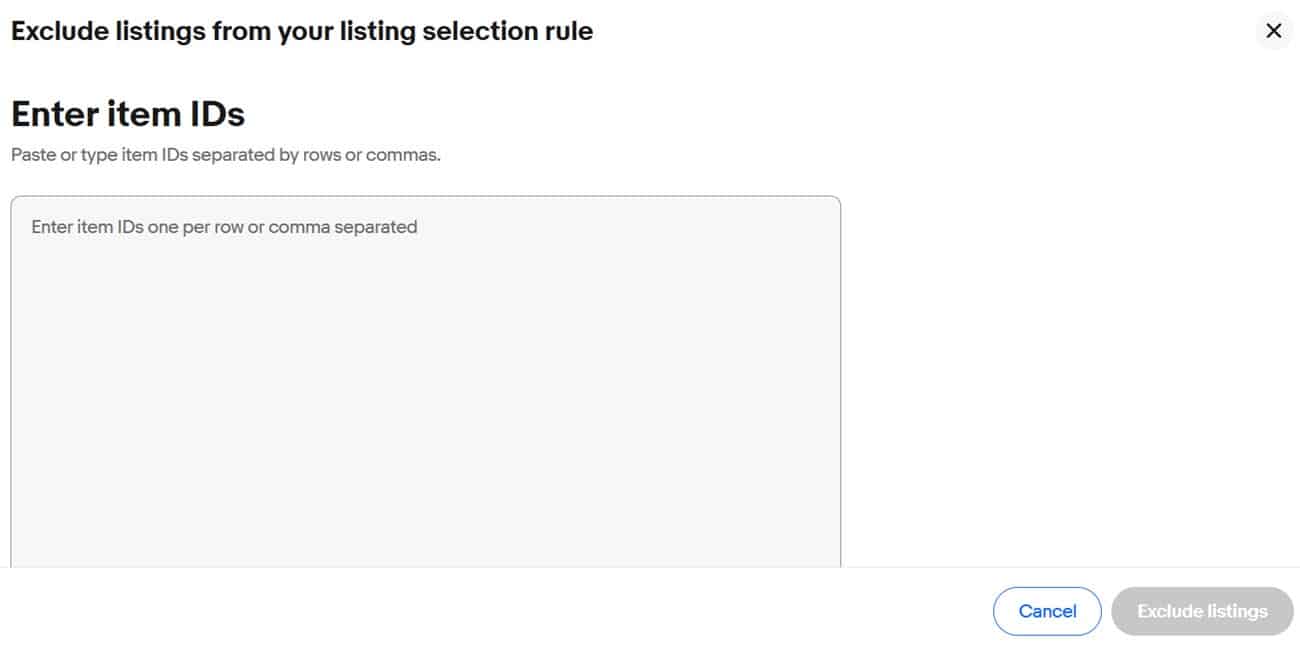
You can also exclude listings in bulk either during campaign creation or in an existing campaign by clicking the "Exclude listings" button within the rule management window.
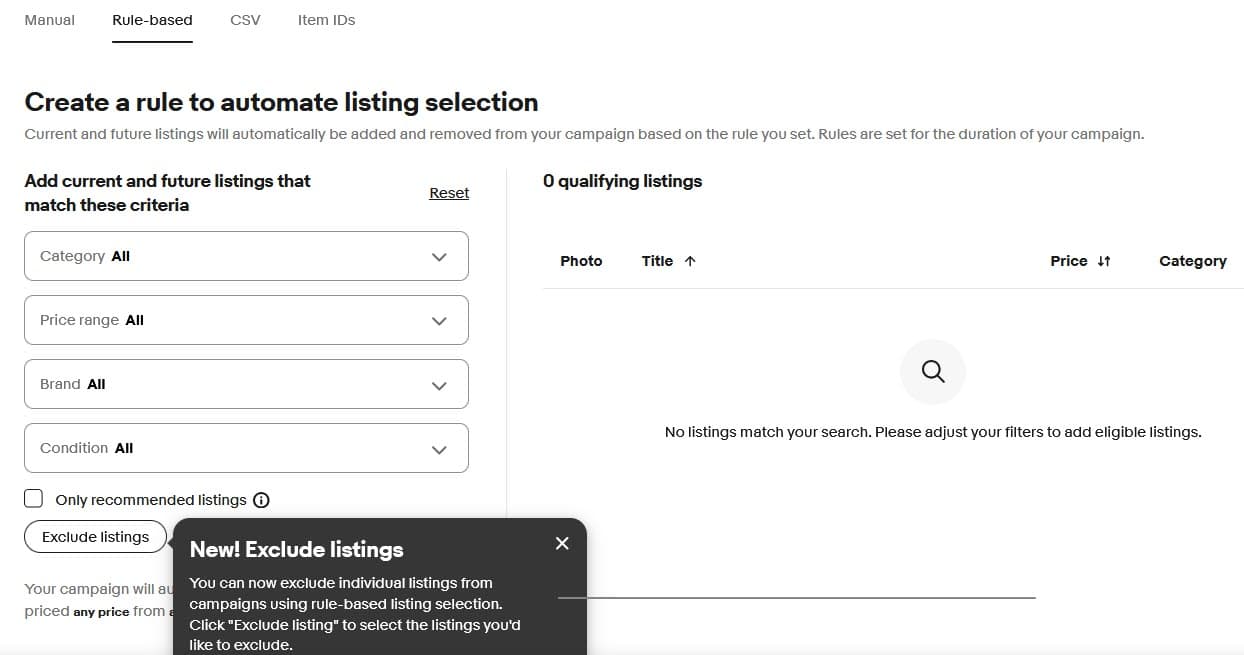
That will pop open a window where the seller can enter item IDs for the listings they wish to exclude, separated by rows or commas.
While it's great that eBay finally made this improvement, let's hope sellers won't have to wait nearly as long for the promised updates to make ROAS useful again.
Sellers should also keep an eye out for data errors or anomalies in the Ads Dashboard as eBay is making these updates.
For example, one Value Added Resource reader reports eBay's info pop up for their General campaign currently defines Impressions as "The numbers of times your ads have appeared offsite. The data is provided by our third-party partners, and it may take a couple days for impressions to appear."
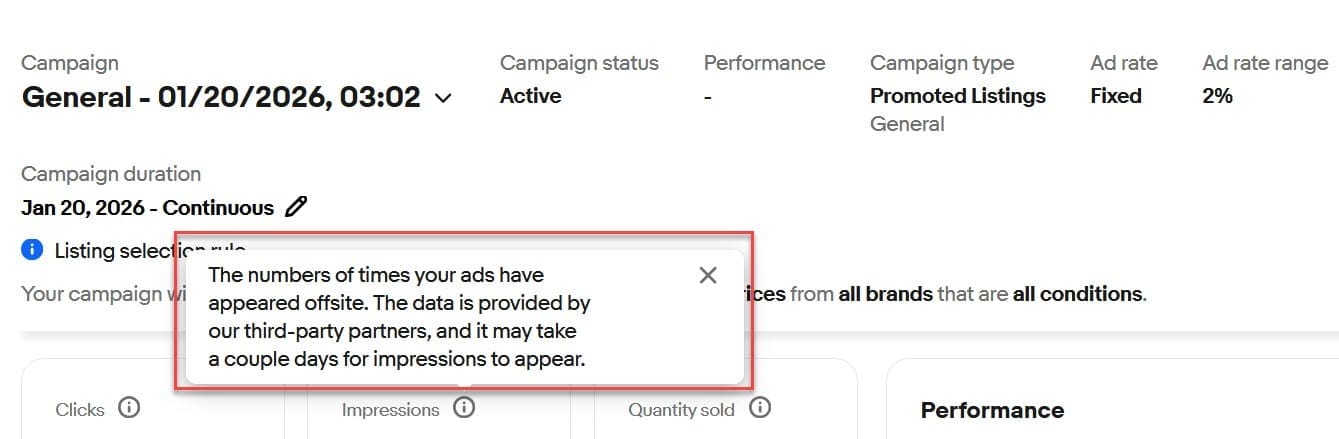
While items enrolled in General campaigns can appear in external placements like Google shopping, they are not limited to those places.
In fact, the vast majority of placements for General ads are on view item pages, search results, and other on-site surfaces - so this definition is clearly incorrect and may just be a display error mixed up with what should be shown for Offsite ads rather than General ads.
Are you seeing other errors or changes in the eBay Ads dashboard in Seller Hub? Let us know in the comments below!